RipX
RipX DAW from Hit'n'Mix lets you edit mixed audio at note level, with a 21-day free trial and prices from $99.
Reviewed by the Noxilo team
Visit RipX ↗What is RipX?
What RipX is
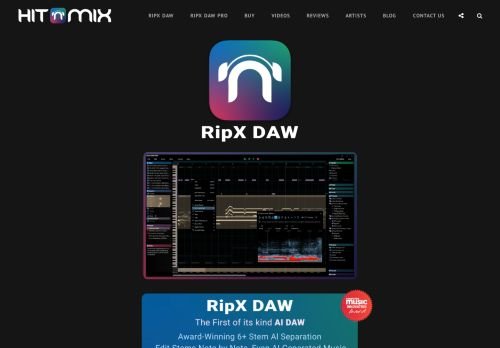
RipX DAW, from Hit'n'Mix Ltd, is an audio workstation built around AI separation. It splits a mixed song into stems and goes further, offering what the site calls true note-level extraction, so you can edit audio like it is MIDI. That makes it useful for remixers, producers sampling their own material, and musicians who want to pull a part out of a recording. It is a bigger tool than a one-click vocal remover.
Versions and price
The site says to buy starting at $99 and lists RipX DAW and RipX DAW PRO. It does not break down each version's price on the homepage, and it mentions no Studio version, so confirm the current lineup on the store page. You can try RipX DAW PRO free for 21 days, which is a long, useful trial for a tool with a learning curve.
The homepage also links to a RipX iPhone app. It does not say which desktop operating systems are supported, so check system requirements before downloading.
The learning curve
Note-level editing is powerful, but it is not instant. Complex mixes, dense chords and noisy recordings produce artifacts, and you will spend time cleaning up separations. Expect to learn a new interface rather than a simple drag and drop tool. The 21-day trial is the right length to test with music you actually work on.
Legal reminder
Splitting a commercial track does not give you the right to release the stems. Sampling and remixing copyrighted music still needs permission. RipX is a technical tool, and the rights question stays with you.
Who should skip it
Skip RipX if you only want an occasional karaoke track, since a lightweight stem splitter app will do. Skip it too if you need a full multitrack mixing studio with plugins, because RipX is a specialist editor, not a replacement for a standard DAW. Choose it if you edit, restore or remix recordings at note level. Decision rule: use the full 21 days on three real projects, and buy only if you open it voluntarily after the first week.
Budget disk space and a reasonably recent computer as well, since audio separation at note level is processor-heavy. Run the trial on the machine you will really use, not on a spare laptop.
Key features
- Note-level audio extraction
- Stem separation
- Edit audio like MIDI
- RipX DAW and RipX DAW PRO versions
- 21-day PRO trial
- iPhone app
- Remix and sample editing
Pros & cons
👍 Pros
- Note-level control is unusual
- Free trial lasts 21 days
- Entry price from $99
👎 Cons
- Version prices not itemized on the homepage
- Desktop requirements not stated on the page
- Dense mixes need clean-up
Use cases
- Remixing a track from its stems
- Pulling a part out of your own recording
- Creating backing tracks for practice
- Cleaning individual notes in a recording
RipX pricing
As of October 2026 the Hit'n'Mix site says buy starting at $99. It does not show a price per version on the homepage. A 21-day free trial of RipX DAW PRO is offered.
RipX price history
| Plan | Price | Seen on | Change |
|---|---|---|---|
| RipX (starting at) | $99 / one-time | Oct 2026 | – |
Frequently asked questions
Is there a RipX free trial?
Yes. The site offers a 21-day free trial of RipX DAW PRO.
How much does RipX cost?
The site says starting at $99 and does not itemize versions on the homepage.
Is there a RipX mobile app?
The homepage links to a RipX iPhone app.
Can I release stems from songs I split?
Not without rights. Splitting audio does not remove copyright.
How we researched RipX
We checked RipX's own website, its pricing page and the sources below (October 28, 2026). Prices change often: the vendor's checkout is always the final word. Deals are re-checked as Black Friday gets closer.
More AI Audio Generators deals
All →

AI Audio Generators alternatives
Revoicer
Review Revoicer is an AI-powered tool specializing in audio generation, sound design, and music creation. As…
Mubert
AI music generator for background tracks. Free plan is non-commercial with 25 tracks a month and an audible w…
TuneFlow
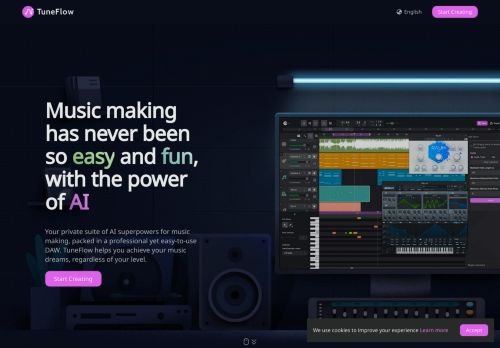
TuneFlow is an advanced AI tool that enables the generation of high-quality audio content, offering a seamles…
AudioPen
AudioPen is an AI tool that seamlessly transcribes and refines spoken words, streamlining content creation, f…